
TL;DR: A restaurant month-end close works best as a five-business-day schedule with one owner per task. Day 1 covers sales, deposits and delivery apps. Day 2 covers purchases and inventory. Day 3 covers labor and payroll accruals. Day 4 covers balance sheet reconciliations. Day 5 covers review and locking the period. Skip a day’s work and the next day’s numbers are wrong.
Most restaurant owners don’t have a month-end close problem. They have a “the books are never quite done” problem. A restaurant month-end close checklist fixes that by putting each task on a specific business day, so the P&L is final while you can still act on it.
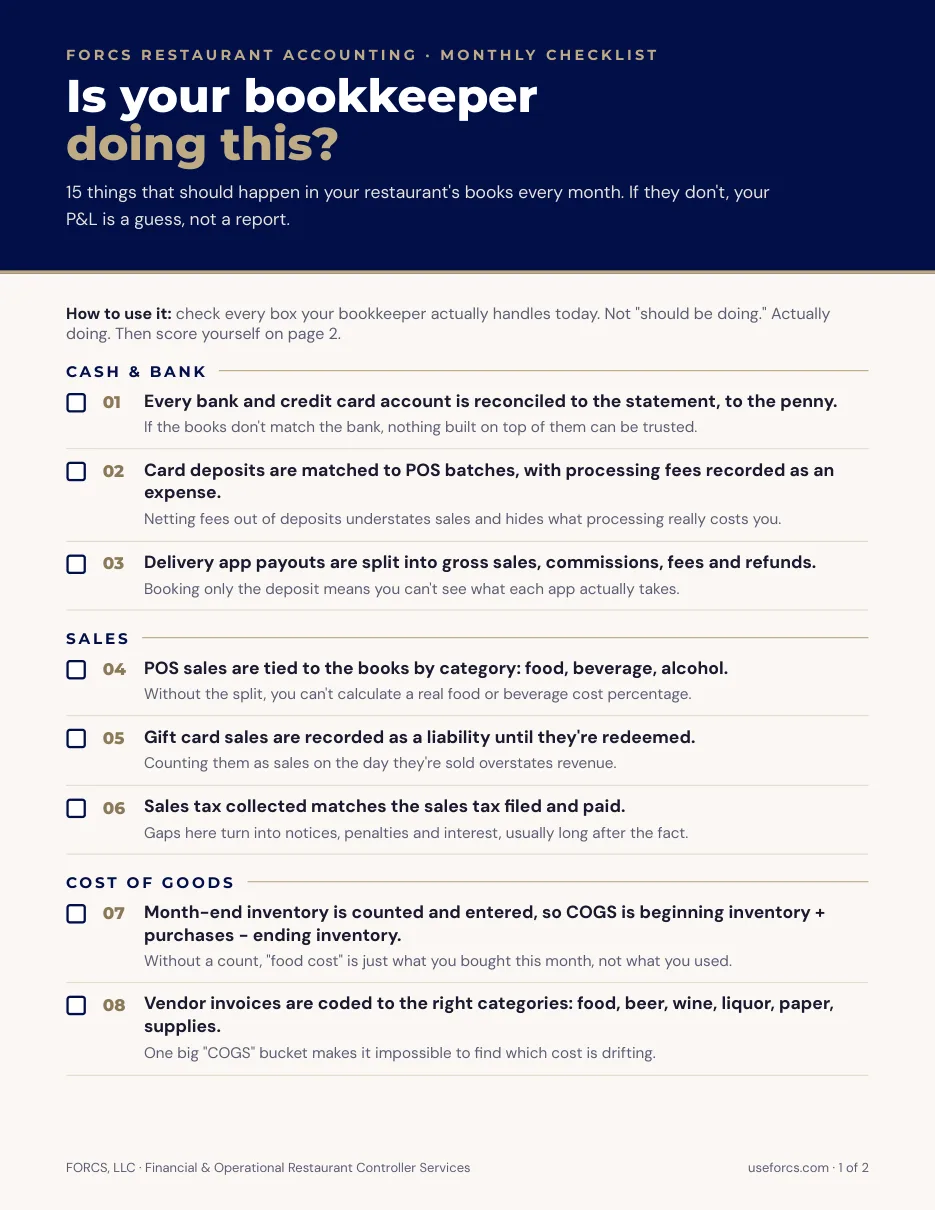
This post is the schedule I’d hand a new bookkeeper. It’s built around the places restaurant closes actually break: POS sales that don’t match the bank, delivery app deposits that arrive net of fees, gift cards, inventory that was never counted, and payroll that straddles the month line.
It isn’t a general accounting checklist. There’s no depreciation lecture here. If you want the reporting-calendar side of this, our post on 4-4-5 accounting covers why some groups close on 4-week periods instead of calendar months.
How long should a restaurant month-end close take?
Aim for five business days or fewer. In one 2025 survey of 100 finance professionals, 18% closed in one to three business days, 32% in four to five, 23% in six to seven, and 27% took more than seven. Half needed six or more.
That survey covered mid-size and large companies, not restaurants, so treat it as a rough ruler. A single restaurant has far fewer accounts than a software company with 500 employees. It has no excuse for the 27%.
The real cost of a slow close is timing. If the final P&L lands on the 20th, you’ve already placed three weeks of orders and written two schedules without it. Your weekly financial review steers you in between, but the weekly numbers are estimates. The close is where they become facts.
The restaurant month-end close checklist starts before the month ends
Four things should be done before the month ends: schedule the inventory count for the last day, get every vendor invoice entered as it arrives, confirm every location’s daily sales were closed out, and assign a name to each close task. Day one goes faster when none of these is left to the morning after.
Here’s what that looks like in practice.
Schedule the count. Book the physical inventory for close of business on the last day of the period. Counting three days later and backing into it is the most common way food cost goes wrong.
Enter invoices as they come in. A delivery that arrived on the 29th but gets entered on the 3rd lands in the wrong month. Tell managers that the last receiving log of the month goes to the bookkeeper the same day.
Confirm daily sales are closed. Every shift in the POS should be closed with the cash counted and any manual overrides noted. If a day is open or missing, you’ll find out on day one instead of day zero.
Name an owner for each task. A close that lives in one person’s head fails the first time they take a week off. Write the list down, put a name and a due date next to every line, and keep it in a shared sheet.
How do you perform a restaurant month-end close, day by day?
Work in this order: sales and cash first, purchases and inventory second, labor third, balance sheet accounts fourth, review and lock last. Each step feeds the next. Food cost can’t be right until purchases are in, and the balance sheet can’t tie out until the revenue and cost entries are posted.
Day 1: Sales, deposits and delivery apps
Start with the money coming in. Everything else depends on revenue being right.
- Match each POS sales batch to the card and cash deposits in the bank. Clear any difference before moving on. Chase every unmatched item that’s more than a few days old.
- Reconcile each delivery platform on a gross basis: sales, commissions, fees, then the net deposit. DoorDash pays for a Monday-to-Sunday week, with deposits going out Thursday, so the last week of any month spills into the next one. Uber Eats also pays on a Monday-to-Monday weekly cycle. Book the unpaid days as a receivable, not as missing sales.
- Use finalized payout data, not estimates. DoorDash says its Payouts report holds finalized order-level data and its monthly statements are available by the 5th, so a close that finishes before the 5th may be using estimates. Our guide to reconciling delivery fees, commissions and sales tax walks through the entries.
- Check that sales tax collected sits in a liability account. Under ASC 606, a business can make a policy election to exclude sales taxes collected from customers from revenue. It belongs to the state, not to you.
- Look at gift cards. A card sale is not revenue. It’s a contract liability that clears as the card is redeemed, and any breakage follows its own rules. Our gift card accounting guide covers breakage and escheatment.
Day 2: Purchases and inventory
Food cost is only as good as this step.
- Post the physical count. Don’t copy last month’s number forward, even when the shelf looks the same.
- Make sure every invoice for product received through the last day is entered. Compare receiving logs to invoices. In Restaurant365, the PO to Invoice Reconciliation report lists purchase orders, invoices and items received so you can see what has been delivered but not invoiced.
- Accrue what you owe for services delivered in the month but billed later. The R365 AP Accrual report uses the dates of service on invoices to show expenses by period, which is how a utility bill covering two months gets split correctly.
- Run actual versus theoretical food cost. A large gap after the count usually means a missed invoice, a bad count or a recipe that’s out of date. Our post on actual vs. theoretical food cost explains how to read the gap.
Day 3: Labor and payroll
- Tie payroll to the general ledger. Gross wages, employer taxes and benefits should each land in the right accounts.
- Accrue wages that were earned in the month but paid after it. If your pay period ends on the 26th, the days from the 27th to month end belong in this month’s labor cost. In R365, approved daily sales summaries credit Accrued Payroll with estimated labor each day, and the payroll journal entry later clears those estimates. Check that the estimate was cleared once, not twice.
- Confirm tips collected on cards have been paid out or sit in a tips payable account, not in revenue.
- Compare labor dollars to the time clock for any shift that looks off. Manager overrides and missed punches show up here.
Day 4: Balance sheet accounts
- Reconcile every bank and credit card account through the last day of the month. In R365 the goal is stated plainly: the cleared balance minus the statement ending balance should equal $0.00.
- Zero out clearing accounts. Anything sitting in “undeposited funds” or an unmapped POS account is a deposit or a mapping problem that hasn’t been found yet.
- Review AP aging. Unmatched or duplicated invoices usually surface here.
- Post prepaids, depreciation and any loan interest.
Day 5: Review and lock
- Read the P&L before you lock it. Compare prime cost, food cost, labor and revenue to last period and to budget. Write one sentence of explanation for any line that moved more than you expected.
- Fix what the review turned up. If food cost jumped four points, find out whether it’s real or a missing invoice before anyone sees the report.
- Send the package to the owner or operator, then lock the period.
What are the best practices for a month-end close checklist?
Keep the same tasks in the same order every month, give each task one owner, and require a number or a signed-off result for every line rather than a checkmark. A checklist you can’t audit is a to-do list. The best ones also record how long each step took, so you can see where days leak.
A few habits make the biggest difference.
Close small things weekly. Bank activity, delivery payouts and invoice entry are much easier to clean up on a Monday than on the 3rd of the next month.
Write down the exceptions. If a deposit is off by $212 and you’ve decided to carry it, say so in the checklist with a date. Unexplained differences pile up.
Don’t skip steps to hit a date. A fast wrong close is worse than a slow right one. If day two isn’t done, day three’s labor percentage doesn’t mean much, because food cost and labor are read together as prime cost.
Let the weekly flash do the early warning. If you’ve watched prime cost weekly, the month-end number shouldn’t surprise you.
Locking the period without locking yourself out
A hard close means the period is locked after review, so nobody can post or edit transactions dated inside it. That protects reported results. Restaurant365 blocks new postings to closed periods, and its guidance is to close only after the period is reconciled and adjusted.
Locking doesn’t mean corrections are impossible. If a real error turns up, the same guidance says to reopen the period, post the entry, and close it again. Limit who can do that. In R365’s Advanced Close, a period can be set to Open, Limited or Closed. Limited lets only users with a specific permission post, which is a good setting for the final review days.
The discipline is what matters, not the software. Pick a day, lock on that day, and treat a reopen as an exception that someone has to approve and write down.
Where FORCS fits in
A five-day close isn’t a software feature. It’s a schedule, an owner for every task, and someone who notices when day two slips. If your close takes weeks, the first fix is usually the order of the work, not more hours.
Three takeaways. Schedule the count and invoice entry before the month ends. Reconcile delivery apps gross, not net. Lock the period on a set day.
Closing the books is the core of our restaurant accounting service. I bring 20 years in accounting, eight of them in restaurants, and the work is a repeatable close calendar, reconciled deposits and a P&L you can act on. If your close is late, or you aren’t sure the numbers are final, book a consultation and we’ll look at where the days are going.
Frequently Asked Questions
What is a month-end close in a restaurant? It’s the set of tasks that finalize a period’s books: matching sales to deposits, entering invoices, counting inventory, accruing payroll, reconciling accounts and locking the period. The result is a P&L you can trust enough to make purchasing, pricing and labor decisions from.
Do I need to count inventory every month? For accurate food cost, yes. Food cost equals beginning inventory plus purchases minus ending inventory, so an estimated ending count makes the percentage unreliable. Counting only the highest-cost items weekly and everything monthly is a common compromise.
Is there a restaurant month-end close checklist template? You don’t need a special template. Copy the day-by-day list above into a shared spreadsheet and add columns for owner, due date, completed date and notes. Those four columns are what make the checklist something you can audit month to month.
Why don’t my delivery app deposits match my sales? Deposits arrive net of commissions, fees and sometimes taxes the platform remits, and they cover a weekly period that rarely matches your month. Reconcile sales, fees, taxes and the net payout separately, and accrue the days that haven’t been paid yet.
Can I reopen a period after I’ve closed it? Yes, in most systems. Reopen it, post the correction, and close it again. Treat it as an exception: limit who has permission, and note why it was reopened so prior-period results don’t change without anyone knowing.